
Digital visual production continues to advance at a rapid pace. Instead of relying exclusively on isolated prompt generators or manual vector tracing, modern creative teams now demand generative tools integrated directly into their standard production software.
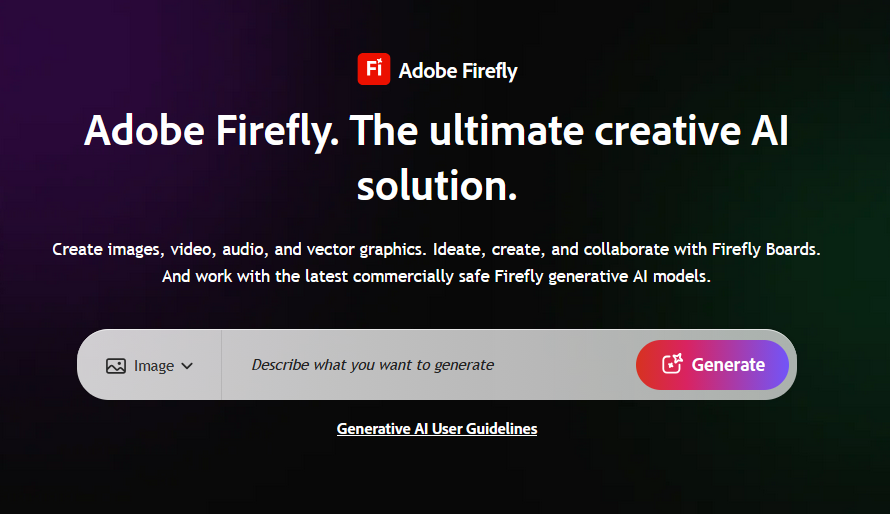
Adobe Firefly stands directly at the forefront of this commercial shift. Specifically, the platform embeds generative image, vector, and video synthesis directly into Creative Cloud applications like Photoshop, Illustrator, and Premiere Pro. Consequently, this comprehensive guide evaluates how Firefly works, analyzes its core technical capabilities, breaks down subscription pricing, and compares it against top industry alternatives.
- 1. What Exactly Is Adobe Firefly?
- 2. Behind the Platform: Origins and Technical Architecture
- 3. Core Features and Technical Capabilities
- 4. Practical Use Cases Across Industries
- 5. Pricing and Subscription Plans in 2026
- 6. Step-by-Step Workflow Guide
- 7. Technical Strengths and Limitations
- 8. Top 5 Alternatives to Adobe Firefly
- 9. Frequently Asked Questions (FAQ)
- Conclusion
1. What Exactly Is Adobe Firefly?
Adobe Firefly is a family of creative generative AI models developed specifically for safe commercial production. Unlike competitors trained on unfiltered web scrapes, Firefly trains exclusively on licensed Adobe Stock assets and verified public domain media.
In practice, the platform allows designers to generate scalable vector graphics, composite photorealistic textures, and expand photographic canvases using natural language prompts. Furthermore, every output integrates standard Content Credentials metadata. As a result, enterprise teams can deploy generated assets into commercial campaigns without copyright infringement risks.
[ Natural Language Prompt / Inpainting Brush ] ───► [ Adobe Firefly Multi-Modal Foundation Model ]
                                                                     │
                                                                     ▼
[ Commercially Safe Asset (Raster/Vector/Video) ] ◄─── [ Creative Cloud Native Layers (PS/AI/PR) ]
In my testing, Firefly’s deepest strength is workflow integration rather than raw prompt styling. For example, editing a high-resolution raw photograph with Generative Fill directly on a Photoshop layer saves immense time because it eliminates tedious file export cycles between standalone web tools. Therefore, it fits naturally into existing enterprise pipelines.
2. Behind the Platform: Origins and Technical Architecture
Adobe introduced Firefly to solve the persistent legal and quality hurdles facing generative AI in commercial environments. Specifically, the engineering division focused on building multi-modal transformer and latent diffusion pipelines tailored to professional design conventions.
Over time, Adobe expanded the platform through strategic technological collaborations. Furthermore, in early 2026, Adobe integrated next-generation accelerated computing clusters to power agentic multi-step design automation. Today, Firefly drives millions of daily generative operations across desktop, web, and mobile environments worldwide.
3. Core Features and Technical Capabilities
Adobe Firefly delivers an expansive suite of generative production tools:
- Firefly Video Model: Generates production-ready video clips at 1080p and 2K resolutions directly from text prompts and still imagery. In addition, the engine includes synchronized sound generation to create ambient audio beds automatically.
- Generative Fill & Generative Expand: Powers Photoshop’s contextual editing tools. Consequently, artists can insert realistic elements, change lighting schemes, or extend canvas aspect ratios while preserving perspective and grain structure.
- Text-to-Vector Graphics: Generates editable, multi-layer Scalable Vector Graphics (SVG) within Adobe Illustrator. Therefore, brand illustrators can manipulate individual vector paths and anchor points without loss of fidelity.
- Custom Enterprise Model Fine-Tuning: Allows organizations to train dedicated sub-models on proprietary brand guidelines and asset catalogs. As a result, distributed marketing teams maintain strict brand continuity across regional campaigns.
From an interface perspective, native Creative Cloud integration feels remarkably smooth. However, strict commercial safety filters can occasionally reject benign prompts that contain ambiguous keywords. Even so, the speed and non-destructive layer management easily outweigh occasional prompt adjustments.
4. Practical Use Cases Across Industries
Creative professionals leverage Adobe Firefly across diverse commercial workflows:
- Marketing & Advertising Agencies: Rapidly iterate multi-platform ad variations and social media collateral while maintaining brand safety compliance.
- Graphic Illustrators & Logo Designers: Generate clean vector iconography, patterns, and packaging concept sketches inside Illustrator.
- Film Editors & Motion Designers: Block out commercial storyboards and generate seamless b-roll video footage directly within Premiere Pro.
- E-Commerce Studios: Expand product backdrops, adjust seasonal lighting, and clean up catalog assets in high-volume production batches.
5. Pricing and Subscription Plans in 2026
Adobe Firefly operates on a monthly generative credit allocation system. Specifically, credits replenish monthly across standalone plans and Creative Cloud bundle subscriptions.
| Plan | Monthly Price | Monthly Generative Credits | Key Inclusions |
| Firefly Standard | ~$9.99 | 2,000 / month | Unlimited standard image generations, full commercial license |
| Firefly Pro | ~$19.99 | 4,000 / month | Text-to-Video access, high-resolution rendering, priority speed |
| Creative Cloud All Apps | ~$66.49 | 4,000 / month | Full access to 20+ desktop apps (Photoshop, Illustrator) + Firefly |
| Firefly Enterprise | Custom | 50,000+ / month | Custom brand model training, enterprise indemnification, API access |
From a price-to-performance perspective, the Creative Cloud All Apps plan provides the best overall value for full-time designers. Specifically, it pairs generative credit allotments with industry-standard desktop software, which avoids the overhead of managing fragmented third-party subscriptions.
6. Step-by-Step Workflow Guide
Getting started with Adobe Firefly involves three simple steps:
- Access the Creative Suite: First, navigate to the Adobe Firefly Portal or launch the latest version of Adobe Photoshop.
- Configure Parameters & Style: Next, type your descriptive prompt, select your target aspect ratio, and choose stylistic presets such as Hyperrealistic, Vector, or Cinematic Lighting.
- Generate and Refine: Afterward, generate four visual candidates, select your preferred composition, and export the file or continue editing directly across Creative Cloud layers.
7. Technical Strengths and Limitations
Strengths
- First, it offers full commercial safety backed by enterprise copyright indemnification.
- Furthermore, it provides native, non-destructive layer integration inside Photoshop and Illustrator.
- In addition, it supports true scalable vector generation rather than flat raster conversions.
- Finally, it attaches standardized Content Credentials metadata for transparent provenance.
Limitations
- However, generative credit caps limit rendering speed for high-volume video pipelines.
- Moreover, algorithmic safety guardrails can be overly restrictive on certain stylistic artistic prompts.
- In contrast to community-driven generators, hyper-stylized illustrative fidelity requires more deliberate prompt refinement.
8. Top 5 Alternatives to Adobe Firefly
If your creative pipeline requires different specialized workflows, consider these top industry alternatives:
- Midjourney: The leading benchmark for photorealism, artistic lighting, and cinematic aesthetics. Indeed, it remains the premier choice for conceptual art.
- Leonardo.ai: A flexible creative suite featuring custom model fine-tuning and real-time canvas editing tools. Consequently, it is ideal for game asset creation.
- DALL-E 3: OpenAI’s core image generator integrated into ChatGPT, excelling at complex natural language prompt adherence.
- Stable Diffusion: An open-source powerhouse suited for developers requiring full local pipeline control and custom LoRA integration.
- Runway Gen-3: An advanced video generation platform that provides deep motion brush controls for video professionals.
9. Frequently Asked Questions (FAQ)
Is Adobe Firefly truly safe for commercial use?
Yes. Adobe Firefly models train exclusively on licensed Adobe Stock imagery and openly licensed public domain content, because Adobe provides enterprise indemnification against copyright claims.
How do Generative Credits work in Adobe Firefly?
Each click of the generate button consumes a designated number of credits based on the output type. Furthermore, users who exhaust monthly allocations can purchase supplementary credits or continue generating at standard speeds.
Does Firefly support vector editing?
Yes. Firefly’s Text-to-Vector engine produces fully editable Scalable Vector Graphics (SVG), which allows designers to modify colors, strokes, and anchor points inside Adobe Illustrator.
Conclusion
In conclusion, Adobe Firefly stands as the premier generative engine for enterprise design teams and commercial artists. Specifically, by combining ethical dataset curation with native Creative Cloud integration, Adobe has built a platform that emphasizes legal safety, precision, and production speed. Although credit limits require planning during heavy video production cycles, Firefly remains an essential asset for modern visual professionals. Ultimately, it sets the benchmark for how generative artificial intelligence should integrate seamlessly into established creative workflows.
Sources & References
- Adobe Firefly Official Platform: Official generative workspace, feature guides, and community showcase.
- Adobe Firefly Commercial Safety & FAQ: Official documentation regarding dataset training, Content Credentials, and copyright indemnification.
- Adobe Creative Cloud Pricing & Plans: Breakdown of generative credit allocations and subscription tiers.
- Content Authenticity Initiative (CAI): Open industry standards for digital media provenance and Content Credentials metadata.
READ MORE
Midjourney the magic of the AI art world